Biometric Time and Attendance Systems
Learn how biometric time and attendance systems automate workforce verification, prevent buddy punching, and streamline payroll. Implement with our guide.
Key Points
- ✓ Implement biometric enrollment and verification processes to ensure accurate employee attendance tracking and prevent time theft like buddy punching.
- ✓ Select the appropriate biometric modality (fingerprint, facial recognition, iris scanning) based on your workplace environment, security needs, and user convenience.
- ✓ Follow a structured implementation checklist covering assessment, vendor selection, deployment, and ongoing management for successful system adoption.
Thank you!
Thank you for reaching out. Being part of your programs is very valuable to us. We'll reach out to you soon.
Implementing Automated Workforce Verification Systems
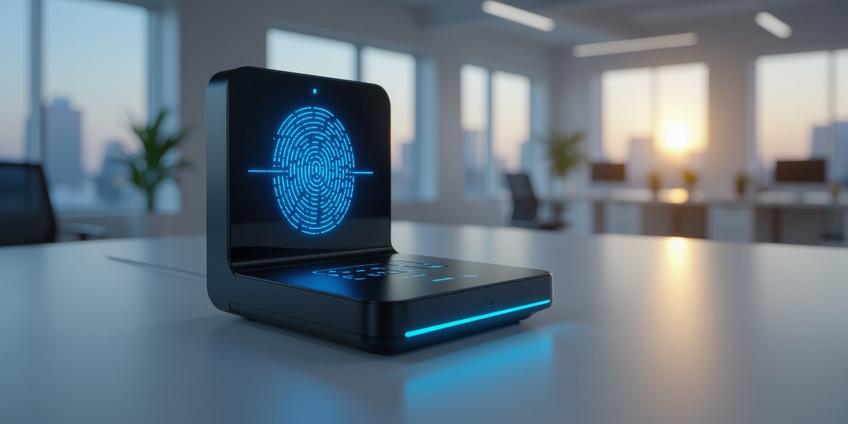
Biometric time and attendance systems are electronic devices or software that track employee attendance by verifying unique physical or behavioral traits like fingerprints, facial features, iris patterns, or voice. They replace manual methods such as cards or PINs to prevent fraud like buddy punching. Their primary function is to ensure the person clocking in or out is physically present, creating a reliable and automated record.
Core Operational Principles
Understanding how these systems function is the first step toward effective implementation. The process is standardized across most platforms.
Enrollment This is the foundational phase where an employee's biometric data is first captured and registered. The employee provides a biometric sample, such as placing a finger on a scanner or looking into a camera. This sample is not stored as a raw image. Instead, the system's software converts it into a secure digital template—a mathematical representation of unique coordinates or patterns. This template is what gets stored in the system's database, enhancing privacy and security.
Verification This is the daily interaction point. When an employee clocks in or out, the device scans the presented trait. It then compares this new scan against the stored template using specialized algorithms. This is typically a 1:1 verification (matching the scan to a specific employee's file) or a 1:N identification (searching the entire database for a match). Authentication occurs if the new scan matches the stored template within a predefined error margin.
Recording and Integration Once verified, the system logs a timestamped event. Modern systems sync this data in real-time to cloud servers, HR information systems (HRIS), or payroll software. This enables immediate generation of reports on attendance, punctuality, overtime, and absenteeism, moving data management from a manual, error-prone task to an automated stream.
Selecting the Appropriate Biometric Modality
Different technologies suit different workplace environments and needs. Your choice should balance security, user convenience, hygiene, and environmental factors.
Fingerprint Recognition This is one of the most common and cost-effective methods. The system maps the unique coordinates of finger ridges for matching. It's highly accurate but can face challenges with certain manual labor jobs that affect fingerprint clarity or in environments where employees wear gloves.
Facial Recognition This touchless method analyzes facial features via a camera. It offers high convenience and improved hygiene, as no physical contact is required. Modern systems are designed to work quickly, even with employees wearing masks or glasses, making them a versatile choice for many offices and facilities.
Iris or Retina Scanning These methods use the unique patterns in an individual's eye. They are considered among the most accurate biometric technologies but often come at a higher cost. The scanning process can be perceived as more intrusive and may require more user cooperation.
Other Modalities Systems using voice patterns, palm vein patterns, or palm prints are also available. These can be excellent alternatives where fingerprints are not viable or where a specific, hands-free operation is desired.
Strategic Advantages and Practical Outcomes
Moving to a biometric system delivers tangible benefits that address core operational challenges.
Eliminating Time Theft and Ensuring Accuracy The most direct benefit is the eradication of "buddy punching," where one employee clocks in for another. By tying attendance to a unique physical trait, you ensure that only the authorized individual can record their time. This directly protects payroll accuracy and fosters a culture of accountability.
Driving Administrative Efficiency Automating the tracking process saves countless hours previously spent on manual timesheet collection, data entry, and correction. Real-time dashboards provide managers with instant visibility into team attendance, late arrivals, and unauthorized absences. This data allows for proactive management rather than reactive corrections.
Integrating biometric data directly with your payroll software removes a major source of payroll errors and streamlines the entire compensation process.
Enhancing Security and Operational Flexibility Beyond time tracking, these systems often double as access control, restricting entry to authorized personnel only. Data is typically encrypted, and audit logs are tamper-proof. Furthermore, many systems now offer extended features:
- Mobile applications for remote or field-based employees using smartphone biometrics.
- Geo-fencing to ensure clock-ins occur at a specific job site.
- Leave management integration for a unified view of employee time-off.
Actionable Implementation Checklist
A successful rollout requires careful planning. Follow these steps to ensure a smooth transition.
Phase 1: Assessment and Planning
- Define primary goals: Is your main objective to stop buddy punching, reduce administrative workload, improve payroll accuracy, or enhance security?
- Analyze workforce and environment: Consider the size of your workforce, the nature of their work (office, warehouse, remote), and physical conditions (dust, moisture, need for gloves).
- Review legal compliance: Consult legal counsel to understand local and national regulations regarding biometric data collection, storage, and employee consent. Develop a clear privacy policy.
- Evaluate integration needs: Confirm the new system can integrate with your existing HR and payroll platforms via API, cloud sync, or other standard methods.
Phase 2: Selection and Procurement
- Shortlist vendors: Choose providers with a strong track record in your industry. Request live demonstrations.
- Prioritize data security: Inquire about data encryption standards (both at rest and in transit), template storage methods, and compliance certifications.
- Plan the rollout: Decide on a pilot group for initial testing. Develop a communication plan to explain the why and how to employees, addressing privacy concerns transparently.
Phase 3: Deployment and Management
- Conduct structured enrollment: Set up a dedicated, private station for initial biometric enrollment. Have IT/HR staff on hand to guide employees and answer questions.
- Run a parallel test: For the first pay period, run the old and new systems side-by-side to verify accuracy and build confidence in the new data.
- Establish support protocols: Designate internal super-users and ensure vendor support details are clearly communicated to all managers.
- Schedule regular reviews: Set quarterly check-ins to review system reports, address any user issues, and assess if the system is meeting the goals defined in Phase 1.
Choosing the right biometric time and attendance system is a strategic decision that impacts payroll, security, and operational culture. By focusing on a method that aligns with your specific workplace needs and following a structured implementation path, you can secure a significant return on investment through saved time, reduced fraud, and reliable data.
Frequently Asked Questions
The primary benefit is eliminating 'buddy punching' and time theft by ensuring only authorized employees can clock in or out. This improves payroll accuracy, creates accountability, and automates attendance records, reducing administrative errors.
During enrollment, an employee provides a biometric sample (fingerprint, facial scan) which is converted into a secure digital template—a mathematical representation, not a raw image. This template is stored in the database for future verification, ensuring privacy and security.
Common modalities include fingerprint recognition (cost-effective), facial recognition (touchless, hygienic), iris scanning (high accuracy, costly), and voice or palm vein patterns. Choose based on workplace environment, security needs, user convenience, and factors like glove use or hygiene requirements.
Modern systems sync attendance data in real-time to cloud servers, HRIS, or payroll software via APIs or cloud synchronization. This enables automatic report generation and seamless payroll processing, eliminating manual data entry and reducing errors.
Consult legal counsel to understand local regulations on biometric data collection, storage, and employee consent. Develop a clear privacy policy, ensure data encryption, and obtain explicit employee consent to comply with privacy laws like GDPR or BIPA.
Communicate transparently about the reasons for implementation, address privacy concerns directly, involve employees in pilot testing, and provide clear training. Highlight benefits like streamlined processes, reduced administrative burden, and fairer attendance tracking.
Follow a phased approach: 1) Assess goals and environment, 2) Select a vendor with strong integration capabilities, 3) Conduct structured enrollment, 4) Run parallel testing with old systems, 5) Establish support protocols and schedule regular reviews for ongoing management.
Thank you!
Thank you for reaching out. Being part of your programs is very valuable to us. We'll reach out to you soon.
References
- How does a Biometric Time and Attendance System Work?
- Biometric Attendance System: How It Works, Benefits & Top ...
- What is a Biometric Attendance System? | 2025
- What Is A Biometric Attendance System And How Does It ...
- What is an Employee Biometric Attendance System and ...
- Biometric attendance machine: definition, components & ...
- Time and Attendance Systems: Biometric Solutions
- Biometric Attendance System: The Ultimate Guide
- Biometric Attendance Systems: A Comprehensive Guide