Self-Service Portals: Empowering Employees
Discover how self-service portals empower employees with 24/7 HR access, reducing admin burden and increasing workplace autonomy.
Key Points
- ✓ Self-service portals provide employees 24/7 access to update personal information, request time off, and manage benefits, increasing autonomy and reducing HR dependency.
- ✓ Implementing a user-friendly portal reduces HR's administrative burden by shifting routine tasks to employees, freeing teams for strategic initiatives like talent development.
- ✓ Successful rollout requires mobile accessibility, clear training, and ongoing feedback loops to ensure high adoption and continuous improvement based on employee usage data.
Thank you!
Thank you for reaching out. Being part of your programs is very valuable to us. We'll reach out to you soon.
Digital Platforms for Staff Autonomy and Control
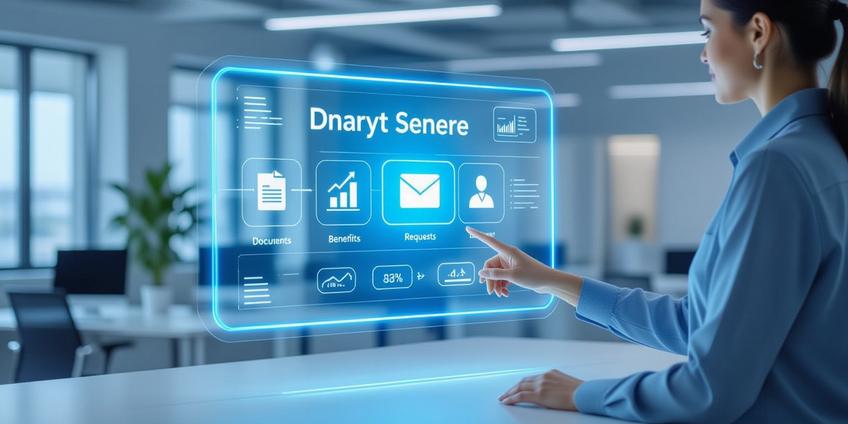
Employee self-service portals are digital hubs where staff manage their own HR information and tasks. These systems empower employees by giving them direct, 24/7 control over their HR and work-related information and tasks. This shift places ownership of routine administrative work into the hands of employees, allowing HR and management teams to concentrate on strategic initiatives and complex people matters.
Core Functions of an Employee Self-Service Portal
A well-designed portal provides a centralized location for a wide range of activities. Typical capabilities include:
- Managing Personal Information: Employees can update their address, phone number, emergency contacts, bank details for payroll, and tax forms (e.g., W-4).
- Accessing Financial Documents: Viewing, downloading, and printing pay stubs, year-end tax documents (like W-2s), and compensation history.
- Handling Time and Attendance: Requesting time off (PTO, sick leave), viewing approval status, checking accrued leave balances, and reviewing work schedules.
- Administering Benefits: Enrolling in health insurance during open season, managing benefits selections, and accessing coverage details and plan documents.
- Retrieving Company Information: Accessing the latest employee handbook, company policies, internal announcements, and signed contracts in one searchable location.
- Participating in Development: Completing digital onboarding tasks, accessing mandatory or optional training modules, and submitting performance self-evaluations.
- Initiating Communication: Sending secure messages to HR or managers and submitting requests through automated workflows (e.g., for equipment or verification letters).
How Self-Service Tools Foster Employee Empowerment
Moving beyond simple task automation, these portals build a more capable and engaged workforce through several key mechanisms.
Increased Autonomy and Personal Control Employees are no longer dependent on HR to make simple updates or answer basic questions. They can correct a home address, submit a time-off request, or check their remaining vacation days instantly. This self-reliance increases their sense of ownership over their employment details and builds confidence.
Always-Available Access Cloud-based portals provide 24/7 access from anywhere, whether from a home computer or a mobile device. An employee can review their benefits on a weekend or upload a document after business hours, solving issues on their own schedule without delay.
Enhanced Transparency and Trust When pay details, benefit summaries, and company policies are openly accessible, it reduces uncertainty. Employees can verify information independently, which builds trust in the organization's processes and reduces speculative questions directed at management.
Accelerated Problem Resolution Employees are often the first to spot an error, such as incorrect hours logged or a misspelled name on a document. A self-service portal allows them to flag or correct these issues immediately, reducing frustration and preventing larger problems like incorrect wage payments.
Active Role in Professional Growth Portals that integrate performance management and learning modules put career development directly in the employee's hands. They can track goals, complete required training, and engage in continuous feedback cycles, taking a proactive role in their growth.
Organizational Advantages of Deploying a Self-Service Portal
The benefits of a well-implemented system extend significantly to the HR department and the company as a whole.
- Reduced Administrative Burden on HR: Routine, repetitive questions and data-entry tasks shift to the portal. This frees HR professionals from transactional work to focus on strategic, high-value activities like talent development, culture initiatives, and complex employee relations.
- Higher Data Accuracy and Quality: When employees maintain their own personal data, it is more likely to be current and correct. This reduces errors from manual data entry and duplication, leading to cleaner HR records.
- Improved Communication and Engagement: A centralized portal for announcements, policies, and collaboration tools creates a single source of truth. This leads to a more informed, connected, and engaged workforce.
- Streamlined Onboarding and Training: New hires can complete paperwork and training digitally before their first day. Existing staff have on-demand access to resources, standardizing and speeding up development processes.
- Significant Cost and Time Savings: Automating HR workflows drastically cuts down on paperwork, manual processing, and physical storage. It supports a paperless environment and reduces administrative overhead.
Implementing an Empowering Self-Service Portal: A Practical Guide
A successful rollout focuses on adoption and ease of use. Follow these actionable steps to ensure your portal genuinely empowers rather than frustrates your team.
Phase 1: Planning and Platform Selection
- Audit Current Processes: List all HR tasks suitable for self-service (e.g., time-off requests, document access). Identify the most frequent HR inquiries.
- Define Core Requirements: Prioritize must-have features (mobile access, integration with existing payroll software) versus nice-to-have features.
- Involve Key Stakeholders Early: Form a pilot group with employees from different departments to provide feedback on demo systems.
Selecting a platform isn't just an IT decision. Involve HR, finance, and a cross-section of employees to ensure the tool meets diverse needs.
Phase 2: Design, Security, and Configuration
- Prioritize User-Friendly Design: The interface must be intuitive. Use clear language, not HR jargon. Navigation should be logical, with a prominent search function.
- Ensure Mobile Accessibility: Choose a platform with a fully functional mobile-responsive site or a dedicated app. Employees expect access on-the-go.
- Establish Clear Permissions and Robust Security: Implement role-based access controls. An employee should see only their own data, while managers see their team's. Ensure the platform has strong data encryption and complies with relevant privacy regulations.
- Configure Thoughtful Workflows: Automate approvals so a time-off request seamlessly routes from the employee to their manager to HR system updates.
Phase 3: Rollout, Training, and Change Management
A phased, communicative approach is critical for adoption.
Pre-Launch Communication Checklist:
- ✓ Announce the "why" first: Explain how the portal empowers employees and improves service.
- ✓ Create a clear timeline for the launch and any pilot programs.
- ✓ Generate excitement with teasers about key time-saving features.
Launch and Training Checklist:
- ✓ Provide multiple training formats: Live webinars, quick video tutorials, and printable step-by-step guides.
- ✓ Focus training on common tasks: "How to request a day off" or "How to update your tax withholding."
- ✓ Ensure managers are trained first so they can support their teams.
- ✓ Launch with a dedicated support channel (e.g., a special email or help desk tag) for the first 30-60 days.
Phase 4: Maintenance and Continuous Improvement
- Monitor Usage Data: Track which features are used most and which are ignored. Identify pages with high drop-off rates.
- Solicit Ongoing Feedback: Use short surveys, focus groups, or a feedback button within the portal itself.
- Iterate and Communicate Updates: Regularly update the portal based on feedback. When you add a new feature or simplify a process, announce it clearly to drive re-engagement.
- Integrate with Other Systems: Plan for future integrations with performance management, learning management, or IT service desk systems to create a unified employee experience.
By methodically addressing design, communication, and support, you transform the self-service portal from a simple tool into a fundamental platform that empowers employees, enhances operational efficiency, and builds a more transparent and agile workplace.
Frequently Asked Questions
Typical capabilities include managing personal information, accessing pay stubs, requesting time off, enrolling in benefits, retrieving company policies, completing training, and initiating HR communications through secure workflows.
Portals empower employees by giving them 24/7 control over their HR data, increasing autonomy through self-reliance, enhancing transparency with accessible information, and accelerating problem resolution when errors are spotted.
Key advantages include reduced administrative burden on HR, higher data accuracy from employee-maintained records, improved communication and engagement, streamlined onboarding, and significant cost savings from automated workflows.
Implementation requires four phases: planning and platform selection with stakeholder input; design focusing on usability and security; rollout with comprehensive training and change management; and ongoing maintenance with feedback loops.
Ensure mobile accessibility, provide multiple training formats, involve employees early in selection, communicate benefits clearly, offer dedicated post-launch support, and continuously improve based on usage data and feedback.
Implement role-based access controls, strong data encryption, compliance with privacy regulations, and ensure employees only see their own data while managers have appropriate team visibility within secure, authenticated systems.
Challenges include user resistance to change, poor interface design causing frustration, inadequate training leading to low adoption, insufficient mobile functionality, and lack of ongoing maintenance and feature updates.
Thank you!
Thank you for reaching out. Being part of your programs is very valuable to us. We'll reach out to you soon.
References
- The Game-Changing Benefits of Employee Self-Service ...
- 5 Benefits of Employee Self-Service Portals for your Business
- What is ESS? Employee Self Service Portals Explained
- 7 Benefits of Employee Self-Service (ESS)
- What Is Employee Self-Service & How Can It Increase HR ...
- The Benefits and Must-Have Features of Employee Self ...
- SHARE Employee Portal | SoNM Group Benefits Plan
- Employee Self-Service® Payroll and HR Software
- What is employee self-service? Benefits + tips to implement