Biometrics and Office Security Tech
Implement biometric office security systems for physical and digital access control. Boost security with identity verification technology.
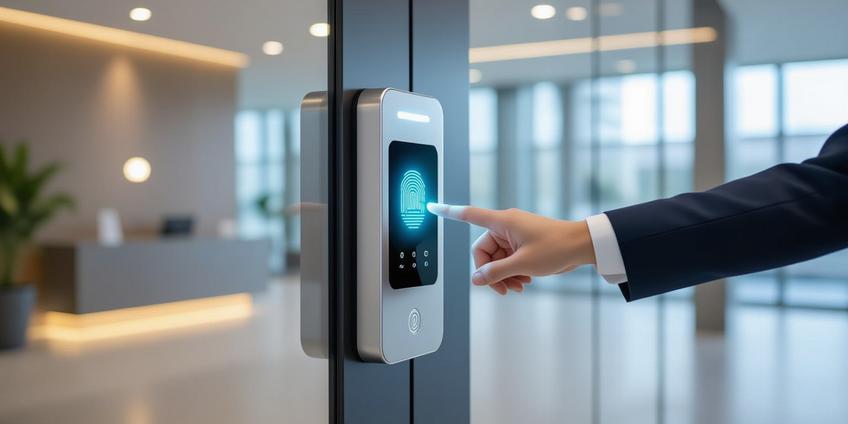
Key Points
- ✓ Implement fingerprint, facial, or iris recognition for physical and digital access control to replace keys and passwords.
- ✓ Integrate biometric systems with HR and IT platforms for unified security management and audit trails.
- ✓ Develop privacy policies and fallback procedures to ensure compliance and reliability during deployment.
Thank you!
Thank you for reaching out. Being part of your programs is very valuable to us. We'll reach out to you soon.
Implementing Physical and Digital Identity Verification in the Workplace
Modern office security requires moving beyond keys and passwords. Identity verification using unique biological traits offers a robust, efficient layer of protection for both physical spaces and digital assets. This approach uses physical or behavioral characteristics—like fingerprints, facial patterns, or iris structures—to control access to doors, devices, and sensitive systems.
Core Methods for Identity Verification
In a workplace context, several biological measurement methods are practical and reliable. Each converts a physical trait into a secure digital template for comparison.
- Fingerprint Recognition: Scans the unique patterns of ridges and valleys. It's mature, cost-effective, and widely accepted.
- Facial Recognition: Analyzes facial features from an image or video. It's contactless and allows for rapid, hands-free access.
- Iris or Retina Scans: Maps the unique patterns in the colored part of the eye or the blood vessels at the back. This method offers very high accuracy.
- Hand Geometry: Measures the shape and dimensions of the hand. It is often used in time and attendance systems.
- Voice Recognition: Analyzes vocal characteristics. It can be used for phone-based verification or logical access.
Systems store a mathematical template, not a raw image, which is matched against a live scan at the point of access.
Primary Applications for Workplace Security
Integrating this technology addresses several common security and operational challenges.
Controlling Physical Access Replace traditional locks and card readers with scanners at doors, turnstiles, and secure rooms.
- A fingerprint or facial scan at an entry point grants immediate access upon a successful match.
- This eliminates the risks and administrative costs associated with lost, stolen, or cloned keys and badges.
Securing Digital Access Replace or augment passwords for logging into computers, applications, and networks.
- A fingerprint reader on a laptop or a facial scan on a monitor enables near-instant login.
- This facilitates single sign-on (SSO) workflows, boosting productivity and drastically reducing IT help-desk tickets for password resets.
Managing Time and Attendance Ensure accurate workforce tracking by verifying the identity of the person clocking in or out.
- A hand geometry or fingerprint time clock prevents "buddy punching," where one employee records time for another.
- Events are logged electronically and can integrate directly with payroll software, streamlining administration.
Protecting High-Security Zones Implement stringent controls for areas like data centers, research labs, or executive suites.
- Use high-accuracy modalities like iris scans.
- Deploy multi-factor authentication, such as requiring a company badge and a biometric scan for entry.
Tangible Advantages for Your Organization
Adopting this technology yields clear security and operational benefits.
- Enhanced Identity Assurance: Biological traits are intrinsically tied to an individual and are far harder to share, steal, or forge than a key or password.
- Elimination of Physical Token Management: Remove the recurring costs and security gaps of reissuing keys, replacing lost cards, and changing locks.
- Improved User Experience and Speed: Access is granted in seconds through a simple, natural action—no fumbling for cards or remembering complex passwords.
- Detailed Audit Trails: Systems automatically log who accessed which resource and when, creating an indisputable record for compliance and incident investigation.
- Operational Cost Savings: Reduce administrative overhead for physical security management and cut IT support costs related to password resets.
Essential Technologies for a Modern Office
Your implementation will likely involve a combination of these devices and systems.
- Fingerprint Door Locks and Readers: The most common entry point. Standalone locks are available for individual offices, while networked readers integrate with building-wide systems.
- Facial Recognition Terminals: Ideal for high-traffic areas like main lobbies. Advanced models can support health safety protocols (like mask detection) and people counting.
- Iris Scanners: Typically deployed for the highest security areas due to their exceptional accuracy and stability over a person's lifetime.
- Integrated Security Platforms: The most powerful approach. Biometric readers connect to central access control panels, HR software, and IT identity management systems (like Active Directory) for unified administration.
Critical Planning and Risk Mitigation
Successful deployment requires careful attention to privacy, usability, and reliability.
Protecting Biometric Data Security The stored template must be secured with the highest standards.
- Ensure templates are encrypted both when stored (at rest) and when transmitted (in transit).
- Implement strict access controls to the database containing the templates.
Navigating Privacy and Regulations Biometric data is classified as sensitive personal information in many regions.
- Develop a clear policy that defines the purpose of data collection, obtains explicit employee consent, and limits data retention.
- Establish a procedure to promptly delete an employee's template when they leave the company.
Ensuring System Reliability Technology can fail, and not every scan will be perfect.
- Always have a fallback procedure, such as a mechanical key override, a backup PIN, or a spare access card.
- Plan for scenarios where an employee's biometric may be temporarily unavailable (e.g., a bandaged finger).
Prioritizing Hygiene and Usability Consider the workplace environment and user acceptance.
- In healthcare settings or high-traffic areas, contactless options like facial or iris recognition are often preferred.
- Provide clear instructions and support during the initial enrollment process to ensure high-quality template capture.
Office Biometric Security Implementation Checklist
Use this list to plan and deploy your system.
- ✓ Define Scope & Goals: Identify what you're securing (main doors, server room, PC logins, time clocks).
- ✓ Select Primary Modality: Choose the right technology (e.g., fingerprint for offices, facial for lobbies) based on security need, traffic, and budget.
- ✓ Choose System Type: Decide between standalone devices or a networked system integrated with existing security software.
- ✓ Develop a Privacy Policy: Draft a clear policy on data collection, consent, usage, retention, and deletion. Review with legal counsel.
- ✓ Plan the Enrollment Process: Design a secure, efficient process to register employees and create initial templates.
- ✓ Establish Fallback Procedures: Define and communicate backup access methods (PIN, card, key) for system failures.
- ✓ Test in a Pilot Phase: Roll out the system to a small, controlled group (e.g., one department) to iron out issues.
- ✓ Train Administrators & Users: Train security/IT staff on system management and educate all employees on proper use.
- ✓ Deploy Phased Rollout: Implement the system in phases across the organization, learning and adjusting as you go.
- ✓ Audit & Review Logs: Regularly review access logs for anomalies and assess system performance and user feedback.
Frequently Asked Questions
Fingerprint recognition is the most mature and cost-effective. Facial recognition offers contactless access, while iris scans provide highest accuracy for secure areas.
Systems store mathematical templates, not raw images, which are encrypted both at rest and in transit. Strict access controls protect the template database from unauthorized access.
Biometrics provide enhanced identity assurance, eliminate physical token management, improve user experience with faster access, and create detailed audit trails for compliance.
Develop clear policies defining data collection purpose, obtain explicit employee consent, limit data retention, and establish procedures to delete templates when employees leave.
Always have backup access methods like mechanical key overrides, backup PINs, or spare access cards. Plan for temporary biometric unavailability due to injuries or bandages.
Networked biometric readers connect to central access control panels, HR software, and IT identity management systems like Active Directory for unified administration.
Start with defining scope and goals, select appropriate modality, develop privacy policy, pilot test with a small group, train users, and deploy in phases with regular audits.
Thank you!
Thank you for reaching out. Being part of your programs is very valuable to us. We'll reach out to you soon.